How to List Your Business for Free on EZZlisting (Step-by-Step Guide)
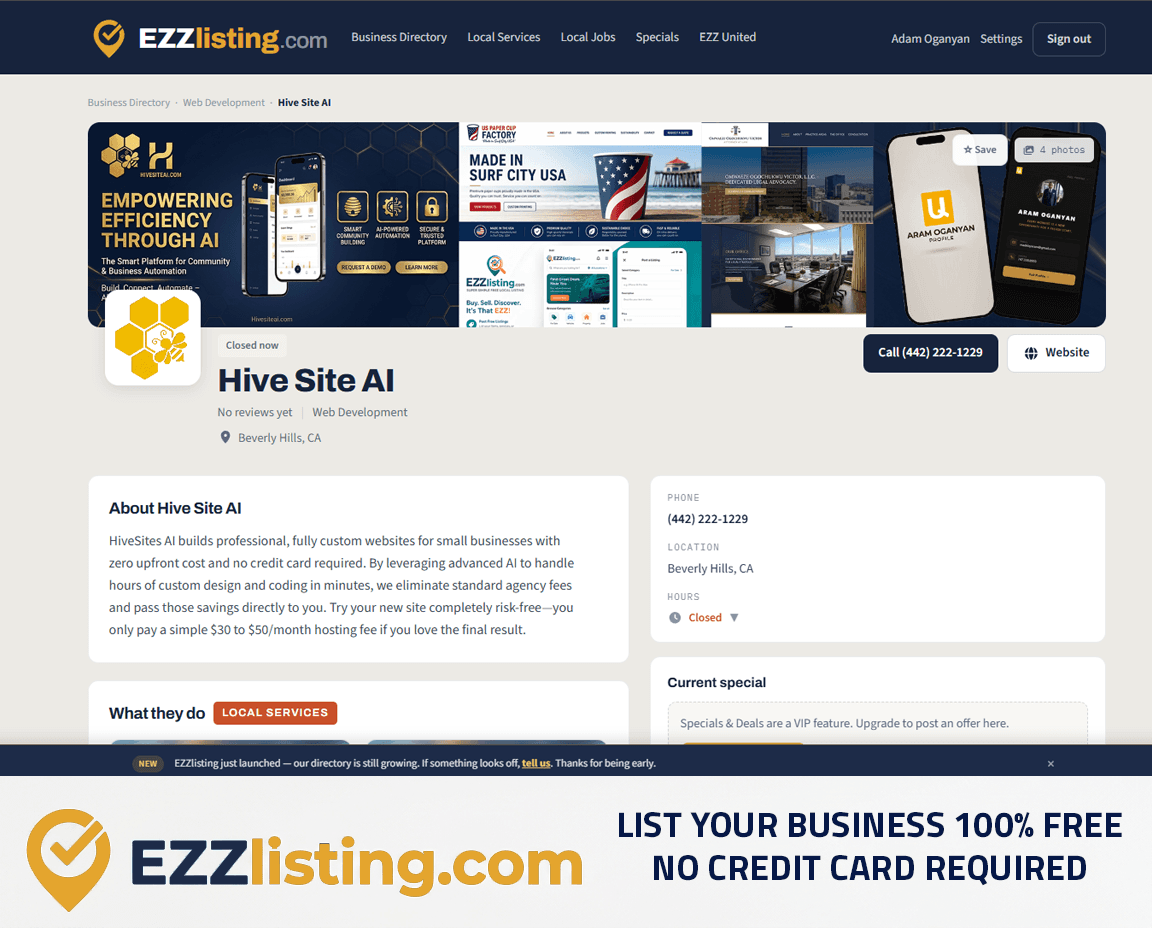
When someone near you searches for a plumber, a hair salon, or a web designer, they pick from whoever shows up. A free business listing is how you make sure that's you. On EZZlisting.com you can list your business 100% free, with no credit card required — and the listing is built to get you found in local search, not buried under ads.
This guide walks through how a business listing works, what to include, and how to turn a profile into phone calls.
What is a business listing?
A business listing is a public profile for your company in an online business directory. It tells customers who you are, what you do, where you are, and how to reach you. Good directory listings also help your local SEO: every consistent mention of your business name, phone number, and city is another signal to Google, Bing, and AI search tools that your business is real and serves a specific area.
On EZZlisting, your profile lives in the Business Directory and is matched to customers by ZIP code — so people see businesses that actually serve where they are.
What your free listing includes
Every business gets the core listing free, forever:
- Business name, category, and description — up to three categories so you show up in more searches
- Phone number and website button — one tap to call or visit your site
- Location — show your full address, or just your city if you work from home or on the road
- Business hours — with a live "Open now / Closed" badge, or "Open 24 hours"
- Logo, banner, and photo gallery — a free listing shows your logo, banner, and 3 gallery photos
- Reviews — customers can leave star ratings and you can reply
- Up to 3 services — each with its own page in Local Services
- Job and gig postings — hire straight from your profile on Local Jobs
How to list your business, step by step
1. Create your free account
Go to List your business and sign up with your email. No credit card, no trial that turns into a bill.
2. Pick your category
Choose the category customers would search for — "Web Development," "Landscaping," "Auto Services." Add up to two extra categories if you genuinely offer more than one kind of work.
3. Write a description that answers real questions
Skip the slogans. In two or three short paragraphs, say what you do, who you do it for, and what makes you different. Use the words your customers use: "emergency plumber in Glendale" beats "solutions provider." Those plain, specific phrases are exactly what search engines match against.
4. Add your contact details and service area
Double-check your phone number — it's the button most customers press. Set your city and ZIP code so you appear in near me searches for your area.
5. Upload a logo, banner, and photos
Listings with real photos get far more clicks than blank ones. Use your actual work, your storefront, or your team — not stock images.
6. Set your hours
Customers filter by who's open. Accurate hours (and the Open now badge they power) stop missed calls and bad reviews.
7. Publish and share
Once published, your profile gets its own page, shows up in directory search, and is included in our sitemap so search engines find it quickly. Share the link on your social accounts and in your email signature.
Tips to make your listing rank and convert
- Keep your name, address, and phone (NAP) identical everywhere — your website, Google Business Profile, and EZZlisting should match exactly.
- Ask happy customers for reviews. Fresh reviews are one of the strongest local ranking signals, and you can reply to each one from your dashboard.
- Add your services. Each service gets its own indexable page, which means more ways for customers to find you. (See our guide to listing services.)
- Update it. New photos, seasonal hours, and new services show both customers and search engines the business is active.
Verification and VIP
Want extra trust? Get verified — we check your phone and business documents and add a Verified badge to your profile. EZZ VIP unlocks more services and photos (5 services, 25 photos), specials and deals, and extra visibility. Neither is required: the free listing is complete on its own.
Frequently asked questions
Is it really free? Yes. Listing your business on EZZlisting is free forever, no credit card required.
Can I list a home-based or mobile business? Yes. You can hide your street address and show only your city.
How long does it take? Most owners publish a complete listing in under ten minutes.
Will it help my Google ranking? A complete, consistent directory listing is a standard local SEO citation and gives your business another page that search engines can index.
Ready to get found? List your business free →
Get found by local customers — and earn a free backlink to your site.