How to List Your Services Online and Get Found by Local Customers
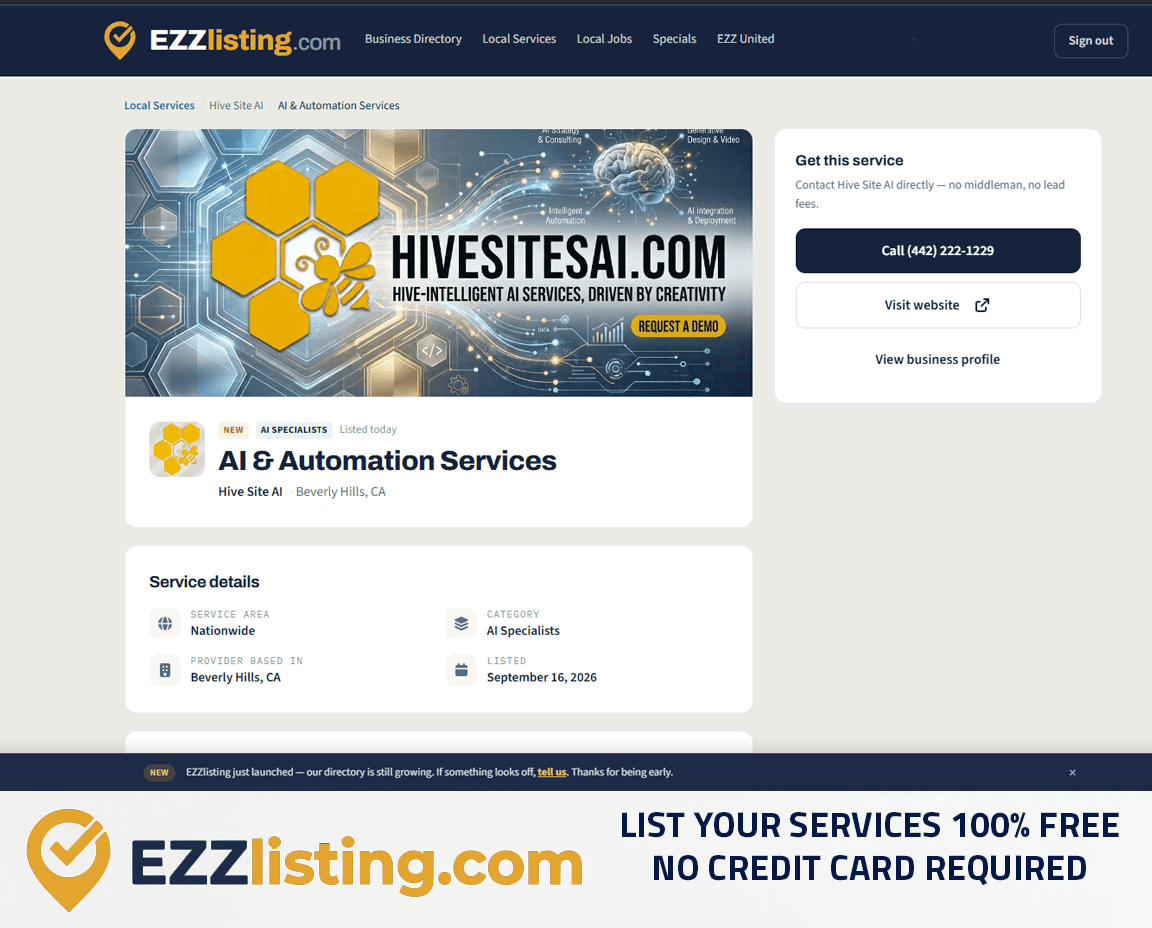
Most people don't search for "Hive Site AI" or "Joe's Plumbing." They search for "website design near me" or "drain cleaning 91206." That's why EZZlisting gives every service you offer its own listing in Local Services — so you're found for the work you do, not just your business name.
Listing your services is free, with no credit card required. Here's how it works.
What is a service listing?
A service listing is a page for one specific thing you offer — "Deep House Cleaning," "Logo Design," "Brake Repair." It sits under your business profile and shows:
- The service name and category
- A full description of what's included
- Photos and an optional promo video
- Where the service is offered — nationwide, or a list of cities and ZIP codes
- A Call button and a link back to your business profile
Each service gets its own URL, its own search-engine-friendly title and description, and structured data that tells Google exactly what the service is and where it's available. One business with three services has four pages working to be found instead of one.
Local vs. nationwide services
This is what makes EZZlisting different from a generic online directory.
Local services are shown only to customers searching in the ZIP codes or cities you choose. A mobile dog groomer who covers Pasadena and Glendale shows up for people in those ZIP codes — and doesn't waste anyone's time in San Diego.
Nationwide services show up in every location. Web design, bookkeeping, online coaching, and other remote services should be set to nationwide.
When a customer searches by ZIP code, local providers who actually serve that area appear before nationwide ones. Customers can also filter the list by service area, category, and verified businesses only.
How to list a service, step by step
1. Open your dashboard
Sign in and go to Services in your business dashboard. Don't have a listing yet? Create one free first — it takes minutes.
2. Name the service the way customers search
"Residential Roof Repair" is better than "Roofing Solutions." Put the most-searched words first and keep it short.
3. Choose a category
Pick the closest match. Categories power the filters on the Local Services page, so the right one puts you in front of the right customers.
4. Write a helpful description
Answer the questions a customer would ask before calling:
- What exactly is included?
- Who is it for (homes, businesses, a specific type of customer)?
- How long does it usually take?
- What should the customer have ready?
Use short paragraphs and plain language. Natural, specific wording — "same-day AC repair for homes in Burbank" — is what ranks in local search.
5. Set your service area
Choose nationwide, or add the cities and ZIP codes you serve. Be honest: listing areas you don't cover leads to wasted calls and poor reviews.
6. Add photos
The first photo becomes the thumbnail in search results. Use a real photo of the finished work for each service rather than reusing the same banner everywhere — it makes your listings stand out and look distinct.
7. Publish
Your service goes live in Local Services immediately and links back to your business profile.
How many services can I list?
Free listings include up to 3 services. EZZ VIP businesses can list up to 5. Want one service to stand out? A Hot Listing moves it to the top of results with a Hot tag.
Tips for service listings that get calls
- One service per listing. "Lawn Mowing" and "Tree Trimming" rank better as two listings than one combined page.
- Match your website wording. Consistent service names across the web strengthen your local SEO.
- Keep service areas accurate as your business grows or shrinks.
- Get verified. The Verified badge shows on every service, and customers can filter for verified providers.
Frequently asked questions
Does it cost anything to list a service? No. Service listings are free, with no credit card required.
Can a customer call me directly? Yes. There's no middleman and no lead fees — calls go straight to your business phone.
Will my service show up on Google? Each service has its own indexable page with structured data, which gives search engines a clear page to show for that service.
Ready to be found for what you do? List your services free →
Get found by local customers — and earn a free backlink to your site.