Will a Holiday UI Boost Your Rankings... or Is a Consistent Look Better for SEO?
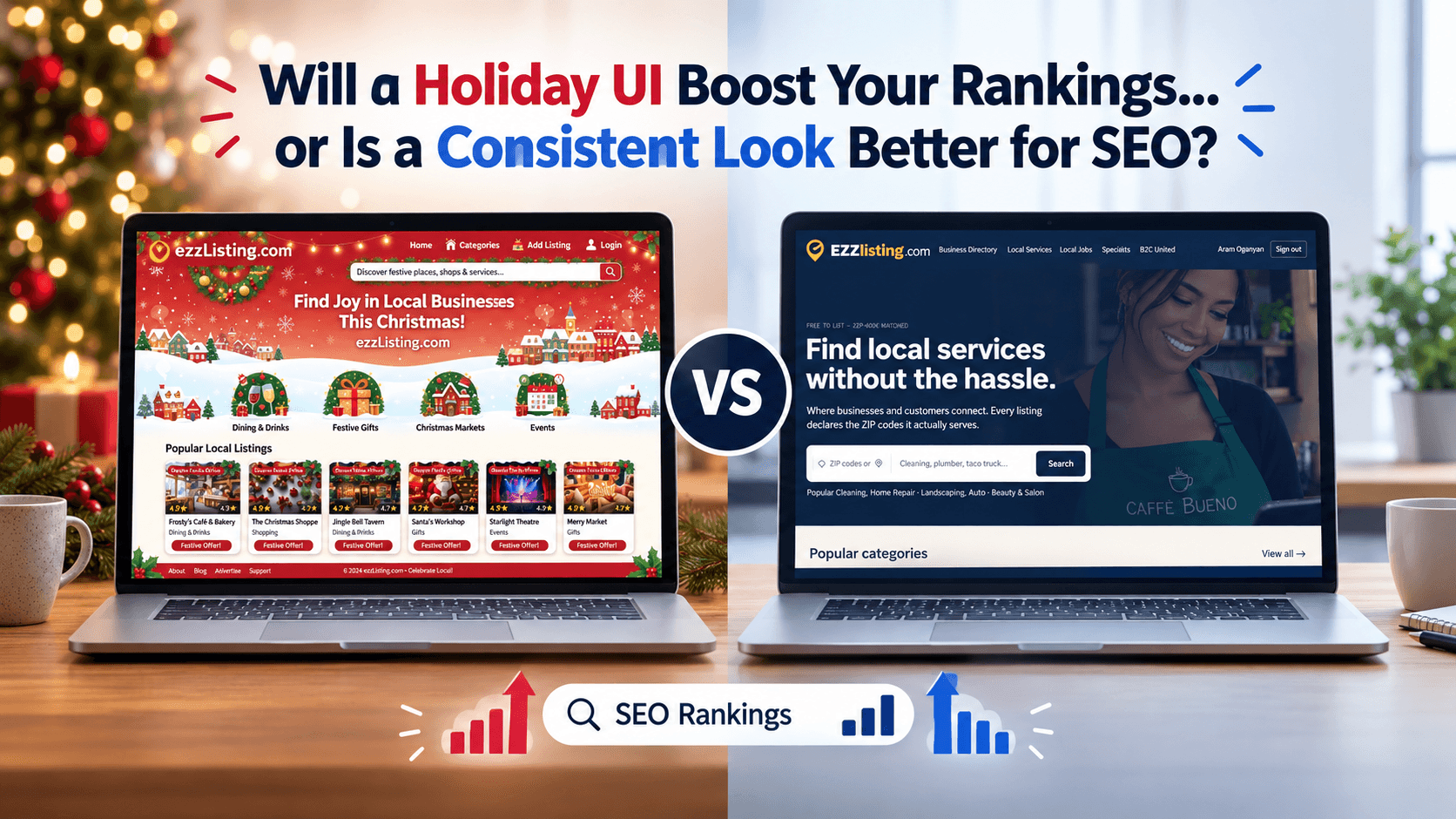
Every year around early November, the same question lands in somebody's inbox: should we dress the website up for the holidays? Snow on the header, a red and green palette, a little garland across the logo. And right behind it comes the nervous follow-up: will that help us rank, or will it quietly tank the search traffic we spent all year building?
Short answer: a holiday UI does not directly improve your search rankings, and a consistent design does not directly improve them either. Google has no "festive" signal. What a seasonal redesign does affect are the things search engines genuinely measure, and that is where this decision gets real.
What Google actually rewards
Search engines do not grade your color palette. They evaluate your site on a handful of measurable signals:
- Page experience and Core Web Vitals (LCP, INP, CLS)
- Crawlability — can a bot reach and render every important page?
- Content relevance — does the page answer the query?
- Helpful, trustworthy content and clear brand identity
- User behavior — do people find what they wanted, or bounce straight back?
A holiday UI touches four of those five, usually by accident. That is the entire risk, and the entire opportunity.
Where a festive redesign hurts your SEO
1. It almost always slows the page down
Seasonal design tends to arrive as extra weight. An animated snow script, a new hero image at full resolution, a decorative font loaded only for December, a countdown widget from a third party. Each of those pushes your Largest Contentful Paint in the wrong direction, and LCP is the Core Web Vital most likely to already be borderline on a content-heavy site.
If your homepage loads in 2.4 seconds in October and 4.1 seconds in December, you have traded a page experience signal for a mood. That is a bad trade in the highest intent shopping month of the year.
2. Layout shift creeps in
Holiday banners are the classic Cumulative Layout Shift offender. A promo bar that injects itself above the fold after hydration shoves your entire page down, and both your CLS score and your visitors pay for it. If the banner has no reserved height, you will see it in your field data within days.
3. Temporary pages become permanent dead ends
A lot of seasonal work involves new URLs: a gift guide, a holiday hours page, a limited time offer. Two things go wrong. Teams launch them with thin content and no internal links, so they never index. Then in January, someone deletes them, and every link and every bit of ranking equity earned in December turns into a 404.
If you build seasonal pages, keep the URLs and update them next year instead of deleting them. A page that has been live for three Decembers is worth far more than a fresh one every season.
4. Brand recognition takes a hit
Repeat visitors recognize your site in about a second, and they do it by color, logo placement, and layout. Change all three at once and you break that recognition right when traffic is at its peak. Brand familiarity is not a ranking factor you can point to in a report, but branded search volume and return visits absolutely are signals, and they move with how memorable and consistent you look.
Where a holiday UI genuinely helps
It is not all downside. Done with restraint, seasonal design earns its keep:
- It signals freshness. A site that clearly acknowledges the current season feels
maintained and trustworthy, especially for a local business directory or a shop. - It matches seasonal intent. If someone is searching for holiday hours, gift ideas, or a last minute local service, festive framing tells them instantly they are in the right place. - It lifts conversion, not rankings. A well placed holiday offer bar can raise click through and sales without touching a single ranking factor. That is still a win. - It earns links and shares. A genuinely delightful seasonal touch gets screenshotted and posted. Those links are real SEO value, just earned sideways.
The approach that gets you both
You do not have to choose between a festive site and a fast, consistent one. The teams that handle this well follow roughly the same pattern.
Keep the structural layer fixed. Navigation, header layout, logo position, body font, button shapes, and page templates stay exactly where they were in October. This is what repeat visitors and crawlers recognize.
Change only the decorative layer. Accent colors, one hero image, a promo bar, maybe an illustrated icon set. If your styles use design tokens or CSS variables, a seasonal theme can be a handful of variable overrides rather than a parallel stylesheet.
Budget the weight before you build. Set a hard limit: the holiday version ships no more than a set number of extra kilobytes. Serve seasonal images as WebP or AVIF, size them properly, and lazy load anything below the fold.
Reserve space for every injected element. Give the promo bar a fixed height in CSS so it cannot shift the layout when it appears.
Never touch content, titles, or URLs for decoration. Your H1s, title tags, meta descriptions, and internal links should keep doing their job year round. If you add a seasonal keyword to a title, add it, do not replace the term that already ranks.
Skip the render-blocking scripts. Snow effects and confetti should be CSS or a small deferred script, never something that delays first paint.
Measure before and after. Run PageSpeed Insights and check Search Console Core Web Vitals the day before launch and a week after. If LCP or CLS moved the wrong way, you know exactly what to pull.
What about local businesses and directory listings?
If you run a local business, the seasonal effort that pays off is almost never visual. It is operational:
- Update your holiday hours on Google Business Profile and every directory you appear in
- Post seasonal offers and photos so your profile looks active
- Make sure your name, address, and phone stay identical everywhere
- Add a short seasonal section to an existing service page rather than building a new one
Those things move local rankings. Snowflakes do not.
The bottom line
A holiday UI will not boost your search rankings, and a consistent look will not boost them either. What actually decides the outcome is whether your seasonal changes protect your page speed, your layout stability, your URLs, and your brand recognition. Keep the structure consistent, keep the decoration light, measure the vitals, and you get the seasonal warmth without paying for it in traffic.
Ready to get found by local customers this season? List your business free on EZZlisting →
Get found by local customers — and earn a free backlink to your site.